
Zello PTT Walkie Talkie
Zello IncCommunication
4.242.13K Reviews
- Version
- 7.14.2
- Installs
- 100.00M
- Age Rating
- Everyone
Screenshots
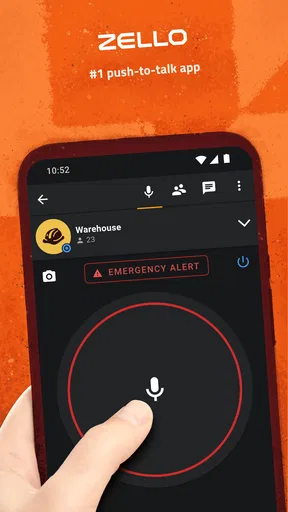
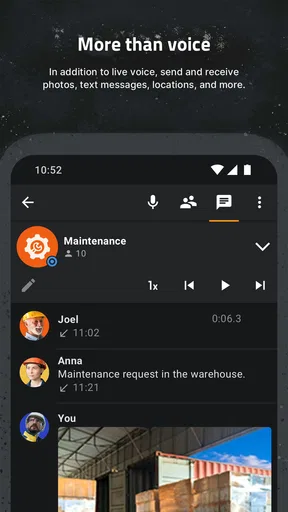
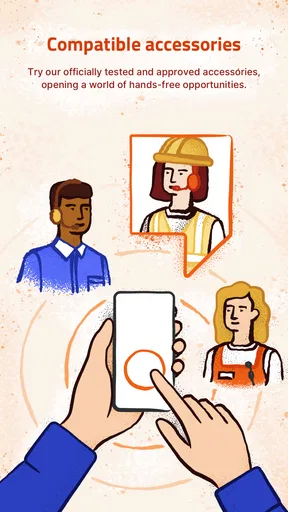
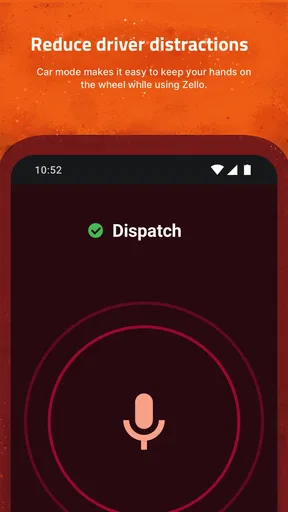
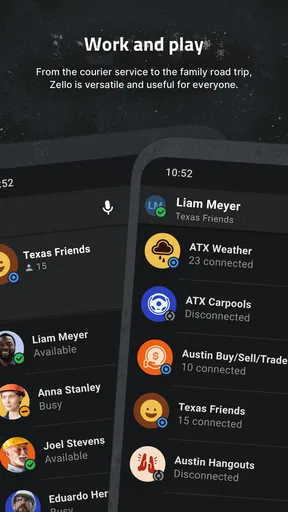
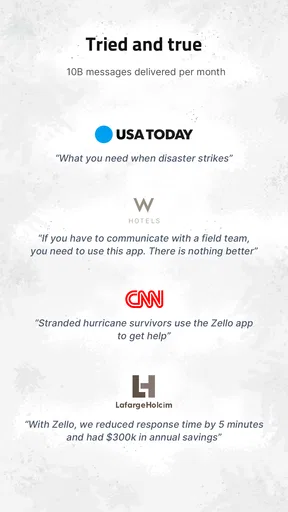
Our Review of Zello PTT Walkie Talkie
 Analysis by Appyee
I like Zello PTT Walkie Talkie most when a group needs quick voice coordination without making everyone place a call or keep checking a chat. It turns a phone into a push-to-talk communicator, so a short instruction can go out in the moment rather than becoming another message people may notice later. That directness is its main strength—and also the reason it won’t suit every conversation. If your group has reliable internet and is happy to use voice, it can be a genuinely handy communication app; if you need dependable contact where mobile data is unavailable, a conventional radio is the better tool.
Where push-to-talk earns its place
The difference is clearest when people are busy or spread around the same venue. Imagine friends arriving at a crowded outdoor event through different entrances: one person can say where they are and what landmark to look for, while the others can respond without interrupting what they are doing to start a conventional call. On a hike, a group can use it to coordinate a pause or a change of plan, provided everyone has an internet connection. These are small exchanges, but making them quick is exactly what gives push-to-talk its appeal.
That doesn’t make it a replacement for every group chat. Text is better for details you need to keep visible, such as an address, a checklist, or a time everyone should remember. A voice message can convey urgency and tone, but it is less convenient to scan later. I’d use Zello for immediate coordination and keep a text conversation for information people may need to refer back to.
Channels need a little thought
Public and private channels serve different purposes, so it helps to decide what your group actually needs before inviting people. A private channel is the natural choice for friends or a small team that wants a shared space; public channels are more suited to discovering conversations beyond your own circle. For a one-off outing, I’d keep the setup simple and make sure everyone knows which channel to use. The more channels a group creates without a clear purpose, the easier it is for someone to speak in the wrong place or miss an update.
It is also worth agreeing on a few practical habits. Keep transmissions brief, say who a message is for when several people are listening, and leave a moment for someone else to reply. That kind of informal turn-taking makes a shared channel easier to follow. If your group needs long, private discussions, a call or a more structured collaboration tool will usually feel more natural.
What to expect from the connection
Because Zello depends on Wi-Fi or mobile data, “walkie-talkie” describes the style of communication, not a guarantee that it will work without network access. Before relying on it for a trip or event, I’d have everyone install it, join the intended channel, and try a short exchange while they still have a dependable connection. That simple check can catch setup confusion early. It cannot fix a dead zone, though; if the group may lose internet, plan another way to reach one another.
There is a useful trade-off here. Internet-based voice can connect people over distance without the shared radio range that a traditional walkie-talkie depends on, but the connection is only as useful as the network available to each person. For an indoor venue with good Wi-Fi or a town where mobile data is steady, that can be a worthwhile exchange. For remote terrain or emergency communication, I would not treat it as the sole option.
A fit for groups, not every caller
I’d recommend it to friends coordinating an outing, volunteers moving around an event, or small teams that need quick spoken updates while their hands are occupied. It is particularly useful when one person’s brief announcement is relevant to several people at once. Someone who mostly has one-to-one conversations, prefers typing, or needs a dependable offline device may be happier with ordinary calls, text messaging, or a dedicated radio instead.
Before choosing it for work, think about the group’s habits as well as the app. Push-to-talk works best when people are willing to listen for incoming messages and keep their own replies concise. It is less appealing if everyone needs quiet, if voice interruptions would be disruptive, or if conversations must be carefully documented. In those cases, a text-based team tool may provide a better record and less interruption.
There are also simple questions worth settling with your group in advance: who will create the channel, how newcomers will find the right one, and what everyone should do if the connection drops. A quick test message answers whether the basic setup works for each person, while a backup plan handles the larger limitation that no internet-based communicator can remove: a weak or missing connection.
For everyday use, the app is free, though it also offers in-app purchases; paid options are not a reason to assume a casual group needs to spend money. It is rated for Everyone, and Zello Inc develops it. Its average rating is 4.2 from around 768,000 ratings, with more than 100 million installs, which suggests that the walkie-talkie approach has broad appeal. Those figures are context, not a promise that it will suit your particular network, group size, or routine.
Getting Started with Zello
First things first, downloading and setting up Zello PTT Walkie Talkie is a breeze. Just a quick download from the App Store or Google Play, and you’re on your way. The installation is straightforward, and before you know it, you’re ready to connect with anyone, anywhere. The app’s interface is clean and pretty intuitive, so even if you’re not a tech wizard, you’ll find your way around without a hitch.
Features That Stand Out
One of the coolest things about Zello is its ability to function in real-time. It's like having a walkie-talkie that doesn’t care about distances. As long as you’ve got an internet connection—Wi-Fi or mobile data—you’re good to go. The voice quality is surprisingly clear, even better than some actual walkie-talkies I’ve tried in the past.
The app supports both public and private channels, which is a neat feature. You can join public channels to connect with like-minded folks or create your own private channel for more intimate conversations. It’s perfect for organizing events or just staying in touch with a close-knit group.
Usability and Interface
Navigating through Zello PTT Walkie Talkie is smooth sailing. The app’s design is user-friendly, with big buttons that make it easy to push to talk. There’s also a status feature that lets you know if someone’s available, busy, or offline, which is helpful for avoiding those awkward moments when you’re talking to yourself.
Another handy feature is the map integration, allowing you to see where your contacts are located. It’s a lifesaver when you’re trying to meet up in a crowded place. Plus, if you’re a bit of a privacy buff, don’t worry—location sharing is entirely optional.
Security and Privacy
When it comes to security, Zello doesn’t skimp. They offer end-to-end encryption for your private channels, so you can rest easy knowing your conversations are secure. The app also doesn’t store your messages on their servers, which is a relief for anyone concerned about privacy.
In terms of user data, Zello seems to take privacy seriously. They don’t require you to share personal information, and creating an account is simple. Just an email address or phone number, and you’re in. No need to hand over your life story.
What’s the Catch?
Now, while Zello is pretty awesome, it’s not without its quirks. For instance, the app is heavily reliant on a stable internet connection. If you’re in an area with spotty service, you might find yourself wishing for a traditional walkie-talkie. But when you do have a good connection, it works like a charm.
Additionally, while the app is free, there are some premium features and services that come at a cost. However, for most casual users, the free version is more than enough to meet your needs.
Wrapping It Up
All in all, Zello PTT Walkie Talkie is a fantastic app for anyone looking to enhance their communication game. It’s versatile, easy to use, and offers features that make staying connected a breeze. Whether you're planning an adventure or just want a new way to chat with friends, Zello is worth checking out. Just make sure your internet connection is up to snuff, and you’re all set to go!
One final practical note: the app’s current version is 7.9.0, and it requires Android 7.0 or later on Android devices. The version number is less important than checking that your phone and your group’s phones can run it before you plan around it. For a quick, informal voice channel, I find the trade-off worthwhile; for messages that must remain easy to search, private one-to-one conversations, or communication beyond network coverage, I’d choose a different tool.
Verdict
Strengths of Zello PTT Walkie Talkie
- Instant communication with no call setup time.
- Works well even on low-speed networks.
- Cross-platform compatibility for Android and iOS.
- Group channels for community or team use.
- Battery-efficient compared to traditional calls.
Limitations of Zello PTT Walkie Talkie
- Requires internet, no offline functionality.
- Limited privacy in public channels.
- Voice quality depends on network strength.
- Ads in the free version can be intrusive.
- Some features require in-app purchases.
Similar Picks in This Category
View All
Google Messages
Google LLC4.6

Gmail
Google LLC4.1

Google Meet
Google LLC4.4

Google Chrome
Google LLC4.1

WhatsApp Messenger
WhatsApp LLC4.6

Carrier Services
Google LLC4.2
Frequently Asked Questions
What is Zello PTT Walkie Talkie used for?
Zello PTT Walkie Talkie is a mobile app that transforms your smartphone into a walkie-talkie. It's designed for real-time voice communication, allowing users to communicate instantly with individuals or groups. It's popular for personal use, business operations, and emergency services, offering high-quality voice transmission over Wi-Fi or cellular data.
Is Zello PTT Walkie Talkie free to use?
Zello offers a free version of the app which includes basic functionalities suitable for personal use. However, there are premium features available for businesses, such as encrypted communication and workforce management tools. These features require a subscription, which can be tailored to the needs of a business or organization.
How does Zello PTT Walkie Talkie ensure privacy and security?
Zello emphasizes user privacy and security with features like encrypted communication for its premium users. The app does not record conversations by default unless specified by the user. Additionally, users have control over who can contact them and can create private channels with restricted access.
Can Zello PTT Walkie Talkie work without internet connection?
No, Zello requires an internet connection to function. It operates over Wi-Fi or cellular data, enabling real-time voice communication. Unlike traditional walkie-talkies, it does not use radio frequencies, so an active internet connection is crucial for its operation.
What are the main features of Zello PTT Walkie Talkie?
Zello offers several key features such as real-time push-to-talk communication, group channels, and the ability to send text messages and images. Users can create public or private channels, and the app supports cross-platform communication, making it versatile for both personal and professional use.
